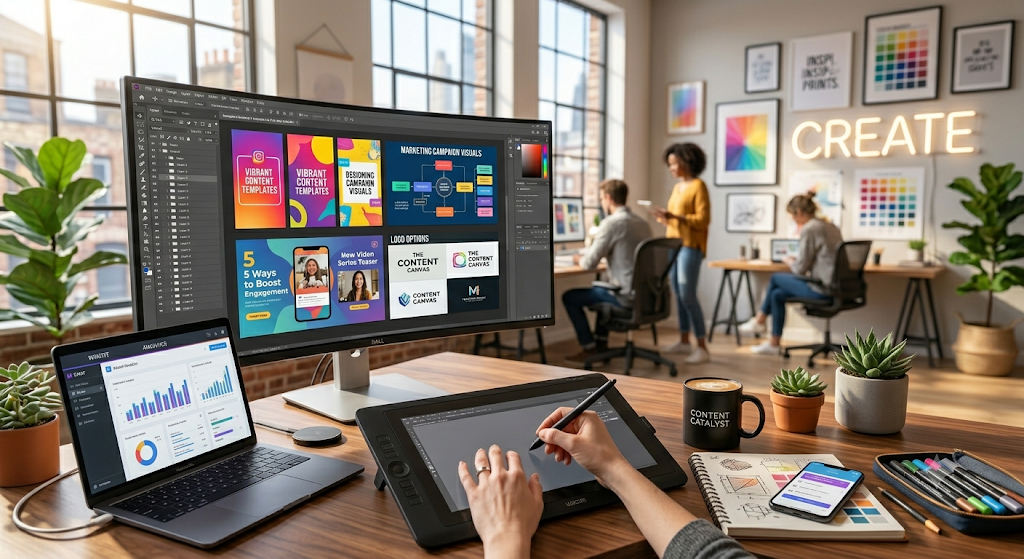
In today’s digital world, content is no longer limited to text. Whether you’re a blogger, YouTuber, social media manager, marketer, freelancer, or business owner, visual content plays a crucial role in attracting and engaging audiences. Studies consistently show that articles, social media posts, and marketing campaigns with high-quality visuals generate significantly more engagement than text-only content.
This is where graphic design tools become essential. Modern design platforms allow content creators to produce stunning visuals, social media graphics, infographics, presentations, thumbnails, logos, and marketing materials without requiring advanced design skills.
The graphic design industry has evolved rapidly with the integration of artificial intelligence, automation, cloud collaboration, and template-based workflows. As a result, creators can now design professional-quality content in minutes.
Why Graphic Design Matters for Content Creators
Before exploring the tools, let’s understand why graphic design is essential.
Benefits of Good Graphic Design
- Improves content engagement
- Increases social media shares
- Enhances brand recognition
- Builds trust and professionalism
- Improves website user experience
- Boosts conversion rates
- Makes information easier to understand
Visual content has become a necessity rather than an option in the competitive digital landscape.
1. Canva
Overview
Canva remains one of the most popular graphic design tools in the world. Its user-friendly interface, extensive template library, and AI-powered features make it ideal for beginners and professionals alike.
Key Features
- Drag-and-drop editor
- Thousands of templates
- AI image generation
- Background remover
- Social media post creation
- Presentation builder
- Video editing tools
- Brand kit management
Best For
- Bloggers
- Social media creators
- Small businesses
- Freelancers
Pros
- Easy to learn
- Huge template collection
- Affordable pricing
- Cloud-based access
Cons
- Limited advanced editing
- Some premium elements require subscription
2. Adobe Photoshop
Overview
Adobe Photoshop continues to dominate professional graphic design and photo editing.
For creators who need complete control over their designs, Photoshop remains the gold standard.
Key Features
- Advanced photo editing
- AI-powered Generative Fill
- Layer-based editing
- Professional retouching tools
- Digital painting capabilities
- Object selection tools
Best For
- Professional designers
- Photographers
- Marketing agencies
Pros
- Industry-standard software
- Extensive editing capabilities
- Powerful AI tools
Cons
- Learning curve
- Subscription-based pricing
3. Adobe Express
Overview
Adobe Express combines Adobe’s design expertise with Canva-like simplicity.
It is specifically designed for content creators who need quick and professional graphics.
Key Features
- Ready-made templates
- Social media design tools
- AI image generation
- Video creation tools
- Brand management
Best For
- Social media marketers
- Bloggers
- Small businesses
Pros
- Beginner-friendly
- Fast workflow
- Professional templates
Cons
- Limited advanced features
4. Figma
Overview
Figma has become a favorite platform for collaborative design and UI/UX projects.
Many content creators now use Figma to create website graphics, presentations, and social media visuals.
Key Features
- Real-time collaboration
- Cloud-based platform
- Design systems
- Interactive prototypes
- Team workflows
Best For
- Teams
- Web designers
- Digital marketers
Pros
- Excellent collaboration
- Free plan available
- Browser-based access
Cons
- Internet dependency
5. Affinity Designer
Overview
Affinity Designer is one of the strongest alternatives to Adobe Illustrator.
It offers professional-grade vector design tools without recurring subscription fees.
Key Features
- Vector illustration
- Logo design
- UI design
- Precision controls
- Professional typography
Best For
- Illustrators
- Brand designers
- Freelancers
Pros
- One-time payment
- Professional tools
- High performance
Cons
- Smaller ecosystem compared to Adobe
6. VistaCreate
Overview
Formerly known as Crello, VistaCreate focuses on quick content creation for marketers and social media creators.
Key Features
- Social media templates
- Animated graphics
- Stock photo library
- Brand kits
- Video creation
Best For
- Social media managers
- Influencers
- Small businesses
Pros
- Easy to use
- Affordable plans
- Excellent animations
Cons
- Fewer advanced editing tools
7. Piktochart
Overview
Piktochart specializes in visual storytelling through infographics, reports, and presentations.
If your content relies heavily on data visualization, Piktochart is an excellent choice.
Key Features
- Infographic creation
- Report design
- Data visualization
- Presentation builder
- Charts and graphs
Best For
- Bloggers
- Educators
- Business professionals
Pros
- Easy infographic creation
- Professional templates
Cons
- Limited photo editing
8. Snappa
Overview
Snappa is designed specifically for marketers who need fast graphics without a complicated design process.
Key Features
- Social media graphics
- Blog banners
- Ad creatives
- Template library
- Stock photos
Best For
- Bloggers
- Affiliate marketers
- Social media managers
Pros
- Fast workflow
- User-friendly interface
Cons
- Limited advanced design capabilities
9. Visme
Overview
Visme combines graphic design, presentations, and data visualization into a single platform.
Key Features
- Presentation design
- Interactive content
- Infographics
- Reports
- Brand management
Best For
- Businesses
- Content marketers
- Educators
Pros
- Interactive design options
- Professional templates
Cons
- Premium features can be expensive
10. CorelDRAW Graphics Suite
Overview
CorelDRAW remains a powerful design platform for professionals requiring advanced vector illustration and branding tools.
Key Features
- Vector design
- Logo creation
- Page layout
- Typography tools
- AI-powered enhancements
Best For
- Professional designers
- Branding agencies
- Print designers
Pros
- Advanced design capabilities
- Strong vector tools
Cons
- Steeper learning curve
Comparison Table of Top Graphic Design Tools
| Tool | Best For | Beginner Friendly | Free Version |
|---|---|---|---|
| Canva | Social Media | Yes | Yes |
| Photoshop | Professional Editing | No | No |
| Adobe Express | Quick Content | Yes | Yes |
| Figma | Collaboration | Yes | Yes |
| Affinity Designer | Vector Design | Moderate | No |
| VistaCreate | Marketing Graphics | Yes | Yes |
| Piktochart | Infographics | Yes | Yes |
| Snappa | Blog Graphics | Yes | Limited |
| Visme | Presentations | Yes | Yes |
| CorelDRAW | Professional Design | No | Trial |
How to Choose the Right Graphic Design Tool
Selecting the right platform depends on your specific needs.
Choose Canva If:
- You’re a beginner.
- You need social media graphics.
- You want quick designs.
Choose Photoshop If:
- You need advanced editing.
- You work professionally with images.
- You require maximum creative control.
Choose Figma If:
- You collaborate with teams.
- You design websites and interfaces.
Choose Piktochart or Visme If:
- You create reports and infographics.
Choose Affinity Designer If:
- You want professional vector design without subscriptions.
Latest Graphic Design Trends in 2026
The graphic design industry continues evolving rapidly.
AI-Assisted Design
AI tools now generate layouts, images, icons, and design suggestions automatically.
Motion Graphics
Animated posts and short-form visual content are dominating social platforms.
Personalized Branding
Creators increasingly use custom visual identities to stand out.
Interactive Content
Interactive infographics and presentations are becoming more common.
Minimalist Design
Simple, clean, and user-focused designs remain highly effective.
Tips for Creating Better Visual Content
Maintain Brand Consistency
Use consistent colors, fonts, and visual styles.
Focus on Readability
Choose clear typography and adequate spacing.
Use High-Quality Images
Avoid blurry or pixelated visuals.
Keep Designs Simple
Minimal designs often perform better than cluttered ones.
Optimize for Mobile
Most users consume content through smartphones.
Use Visual Hierarchy
Guide viewers toward the most important information first.
Common Graphic Design Mistakes to Avoid
Many creators unintentionally reduce the effectiveness of their visuals.
Using Too Many Fonts
Stick to two or three font styles.
Ignoring White Space
Adequate spacing improves readability.
Overloading Designs
Too many elements can distract viewers.
Poor Color Choices
Use complementary colors and maintain contrast.
Low-Resolution Images
Always use high-quality visuals.
Future of Graphic Design Tools
Graphic design software is becoming smarter and more accessible.
Future developments may include:
- Fully AI-generated design systems
- Voice-controlled design creation
- Real-time brand optimization
- Automated content personalization
- Advanced collaboration features
- AI-powered design analytics
These innovations will make professional design accessible to even more content creators.
Conclusion
Graphic design has become an essential skill for content creators, marketers, bloggers, and businesses. The right tool can dramatically improve content quality, engagement, and brand visibility.
For beginners, Canva and Adobe Express offer simplicity and speed. Professional designers may prefer Adobe Photoshop, CorelDRAW, or Affinity Designer. Teams and collaborative creators can benefit greatly from Figma, while data-focused professionals should consider Piktochart or Visme.
Ultimately, the best graphic design tool is the one that aligns with your goals, workflow, and budget. By leveraging these powerful platforms, content creators can produce stunning visuals that capture attention and drive results in 2026 and beyond.
FAQs
1. Which graphic design tool is best for beginners in 2026?
Canva is widely considered the best graphic design tool for beginners because of its drag-and-drop interface, ready-made templates, and easy-to-use design features.
2. What is the best graphic design software for professional designers?
Adobe Photoshop and CorelDRAW are among the top choices for professional designers due to their advanced editing capabilities, precision tools, and industry-standard features.
3. Are free graphic design tools good enough for content creators?
Yes, many free graphic design tools such as Canva, Figma, and Adobe Express offer powerful features that are sufficient for creating social media graphics, blog images, presentations, and marketing materials.
4. Which graphic design tool is best for creating social media content?
Canva, Adobe Express, and VistaCreate are excellent options for social media content creation because they provide customizable templates, animations, and platform-specific design formats.
5. How do graphic design tools help content creators grow their audience?
Graphic design tools help content creators produce visually appealing content, improve brand recognition, increase engagement rates, attract more followers, and make their content more shareable across digital platforms.